Membership Tiers & Billing Cycles
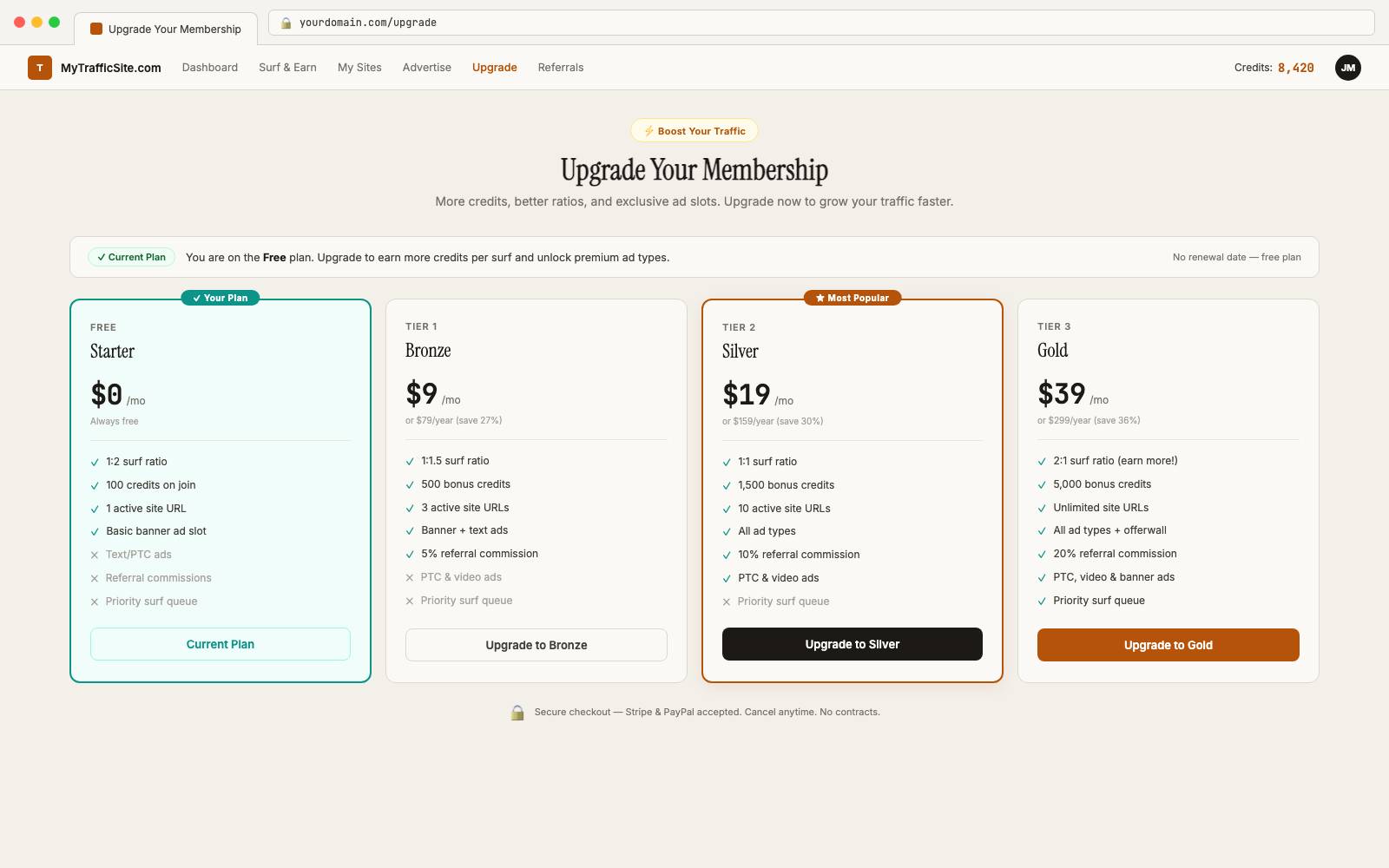
Traffic Exchange Script supports multiple membership levels with flexible pricing and feature access. This article explains how to create and manage tiers as the site operator.
How Membership Levels Work
Each member belongs to one membership level at a time. The level determines:
- How many credits they earn per site viewed (surf ratio)
- Daily and session limits for auto surf
- How many ads they can run simultaneously
- Access to premium features
- Their upgrade/downgrade path
Creating a Membership Level
Navigate to Members → Membership Levels → Create New Level.
Basic Settings
| Field | Description |
|---|---|
| Name | Display name (e.g. “Free”, “Silver”, “Gold”) |
| Price (Monthly) | Monthly subscription cost in USD. Set to 0 for free. |
| Price (Annual) | Annual subscription cost. Often discounted vs. monthly. |
| Billing Cycles | Which billing options are available: monthly, quarterly, annual |
| Sort Order | Display order on the upgrade page |
| Is Default | Whether new registrations are placed on this tier automatically |
Credit and Surf Settings
| Field | Description |
|---|---|
| Manual surf ratio | Credits earned per N sites viewed (e.g. 1:2 = 1 credit per 2 views) |
| Auto surf ratio | Credits earned per N auto surf views |
| Popup surf ratio | Credits earned per N popup views |
| Auto surf session limit | Maximum sites surfed per session |
| Auto surf daily limit | Maximum sites surfed per day |
Ad Allowances
| Field | Description |
|---|---|
| Max active banner ads | How many banner campaigns can run simultaneously |
| Max active text ads | Simultaneous text ad campaigns |
| Max active PTC ads | Simultaneous PTC campaigns |
| Max active sites | How many surf URLs can be submitted (default system max: 25) |
Billing Cycles
Supported billing cycles: – Monthly — charged every month – Quarterly — charged every 3 months – Annual — charged every 12 months
Members choose their preferred billing cycle at checkout. You can enable or disable specific cycles per membership level.
Grace Period
After a subscription payment fails, the member enters a grace period before being downgraded. During this time, they retain their current membership benefits.
Configure the grace period duration and number of retry attempts in Settings → Billing:
- Grace period — how many days to wait before downgrading (default: 3 days)
- Max retry attempts — how many times to retry a failed payment before downgrading (default: 3, via
TE_SUBSCRIPTION_MAX_RETRIESin.env)
Dunning
The dunning system automatically retries failed subscription payments. Each retry is spaced out over the grace period. If all retries fail, the member is automatically downgraded to the free tier.
The te:process-dunning command runs hourly via the scheduler to handle this. See Scheduled Tasks Reference.
Downgrade Behavior
When a paid subscription expires or fails:
- Member enters the grace period (retains paid benefits)
- Payment retries occur (up to
TE_SUBSCRIPTION_MAX_RETRIESattempts) - If no successful payment: member is downgraded to the default free tier
- Active ads may be paused if they exceed the free tier’s allowances
The te:apply-scheduled-downgrades command runs hourly and handles all downgrade transitions.
Auto-Downgrade Scheduling
Downgrades happen automatically — you do not need to intervene. However, you can manually change a member’s level at any time:
- Go to Members → Find the member → Edit
- Change their membership level
- Optionally set an expiry date for their subscription
Viewing Subscription Revenue
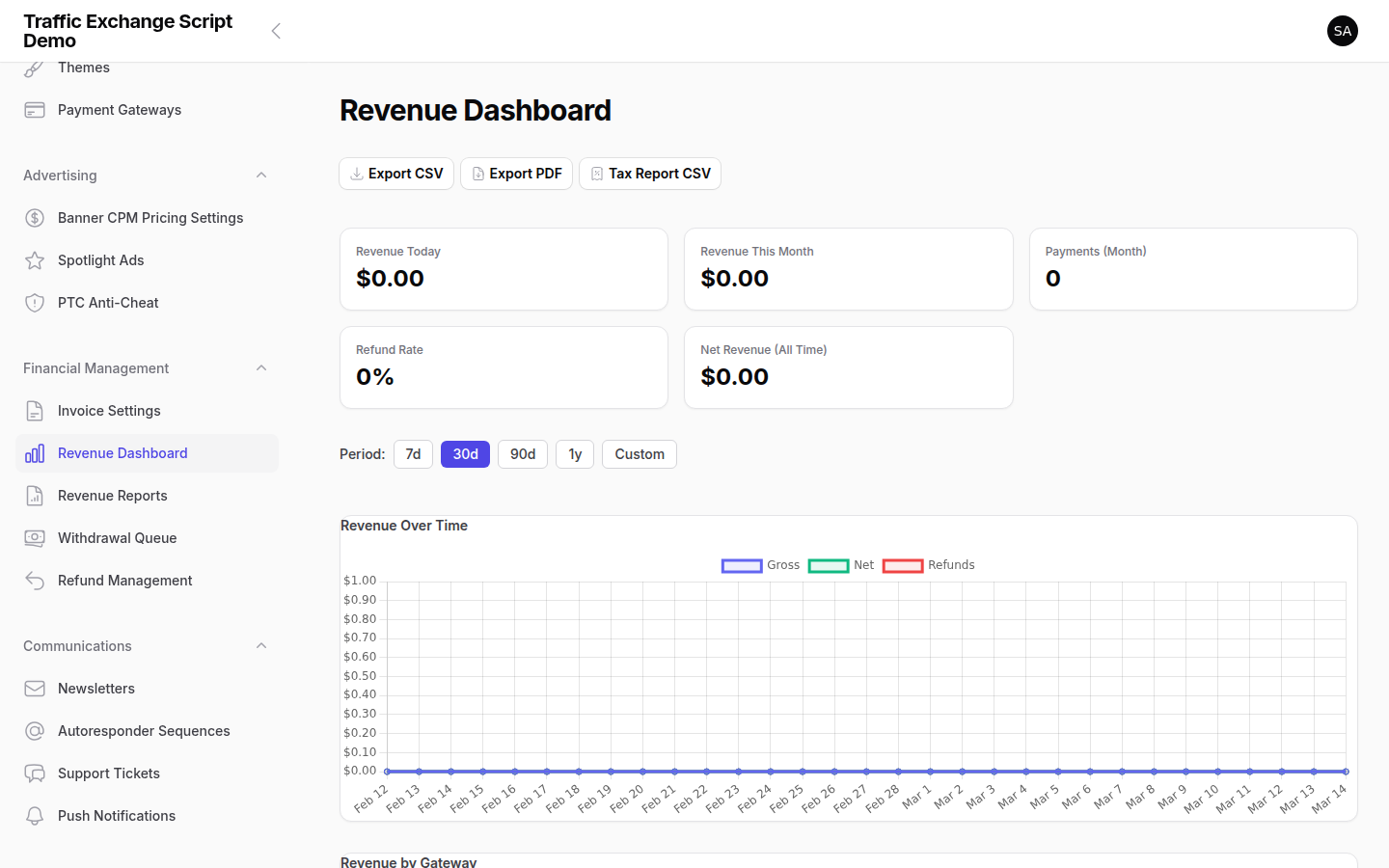
Go to Analytics → Revenue to see:
- Active subscribers by tier
- Monthly recurring revenue (MRR)
- Churn rate
- Renewal success rate
Tips for Structuring Your Tiers
- Free tier: Keep credit ratios lower than paid. This creates upgrade motivation. A 1:3 ratio (1 credit per 3 views) vs 1:1 for paid tiers is a common approach.
- Mid tier: Offer meaningfully better ratios (e.g. 1:1 or even 2:1) and higher ad allowances.
- Top tier: Premium ad types, higher limits, and best ratios. Price it so it’s clearly worth it for active members.
- Annual discount: Offer 2–3 months free on annual plans to improve retention.

Screenshots